50% OFF Use code BEZELSTUDIO50
Ends in --:--:--
50% OFF Use code BEZELSTUDIO50
Ends in --:--:--

App Store screenshot maker for iOS creators.

Bezel Studio App Store Screenshot Maker

Create App Store screenshots, iPhone bezel mockups, iPad mockups, and Apple device marketing visuals with frames, text, stickers, drawings, lighting, and instant export.

Built for iPhone and iPad app creators. Made for ASO screenshots and launch visuals.
Polished iPhone bezels, soft light, and precise typography.
App Store screenshot templates
iPhone bezel mockups
iPad, Watch, and Mac frames
Video inside device frames
Fast export for ASO + social

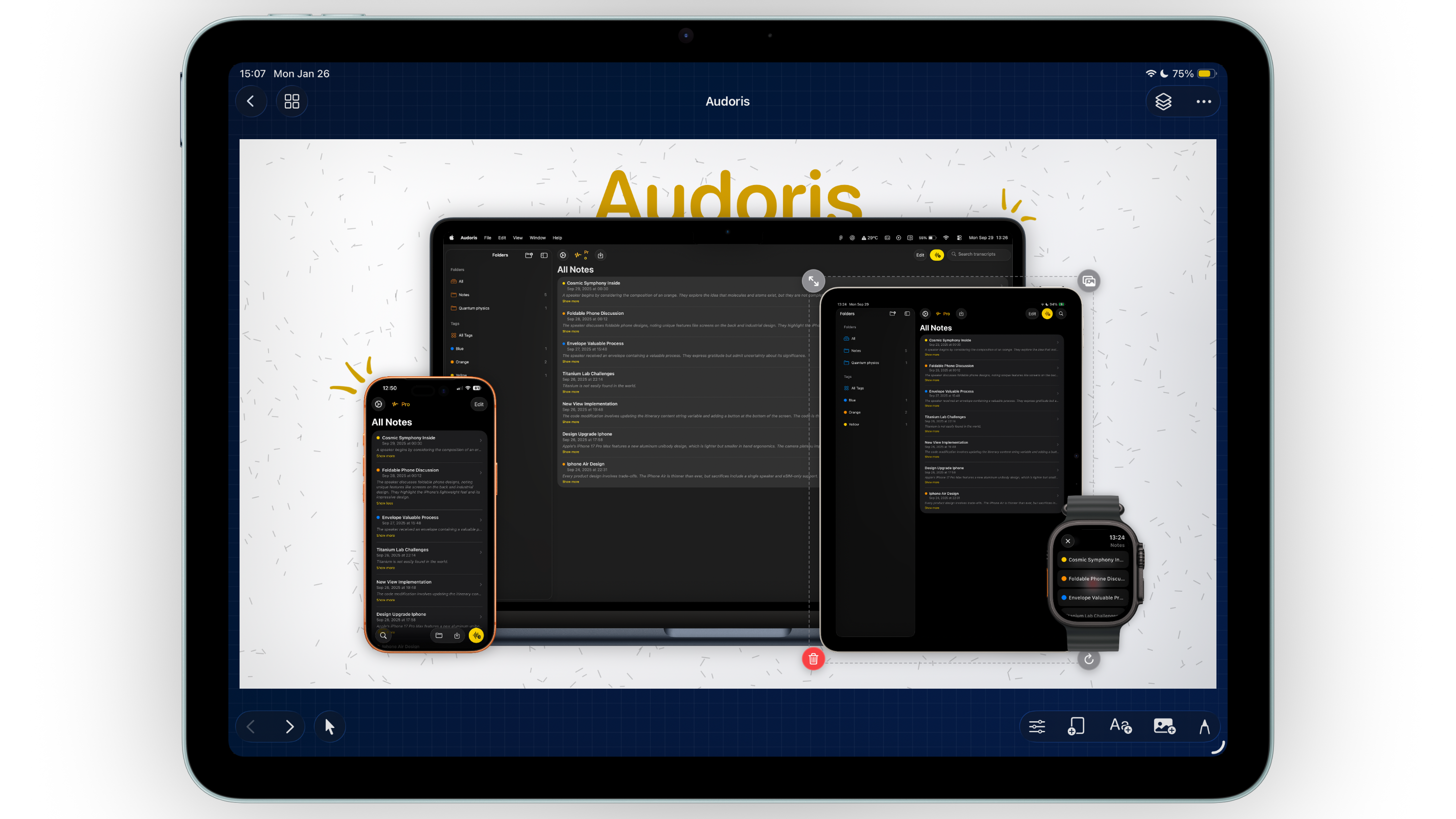
Device Frames

Frames that feel real.

Choose from iPhone, iPad, Apple Watch, and Mac mockup frames, then drop in app screenshots or videos. Add multiple bezels per canvas, resize, rotate, and align with precision for clean iOS marketing assets.

  • iPhone and iPad bezel mockups
  • Screenshot or video support
  • Snap-to alignment guides
Read more
iPhone and iPad bezel mockup editor

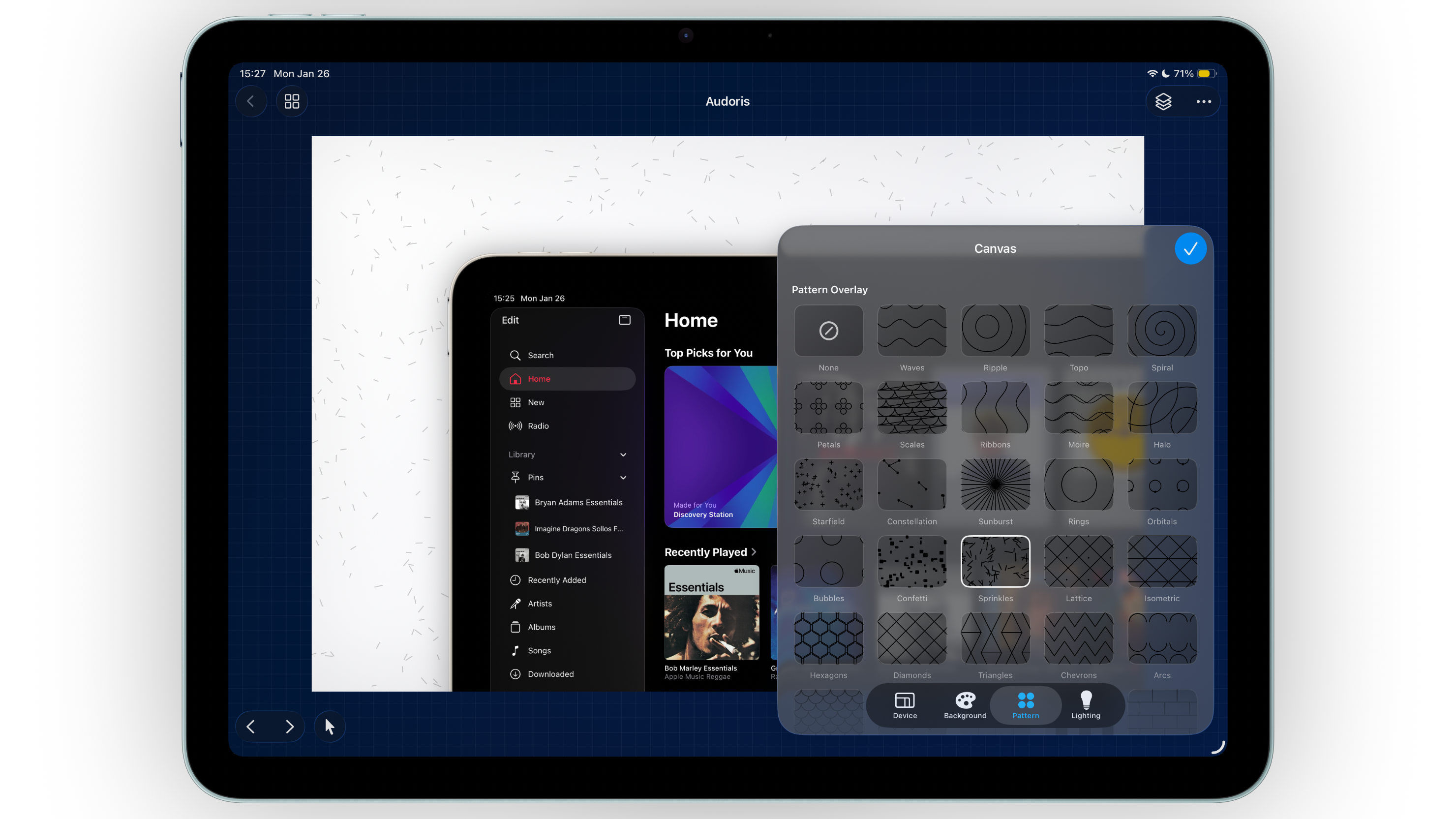
Canvas Styling

Build atmosphere, not just backgrounds.

Start with themes, custom gradients, or photos, then layer in patterns and lighting to give every app screenshot mockup depth and polish.

  • Pattern overlays with color + opacity
  • Lighting effects with adjustable intensity
  • Saved gradient presets
Read more
App Store screenshot background styling

Typography

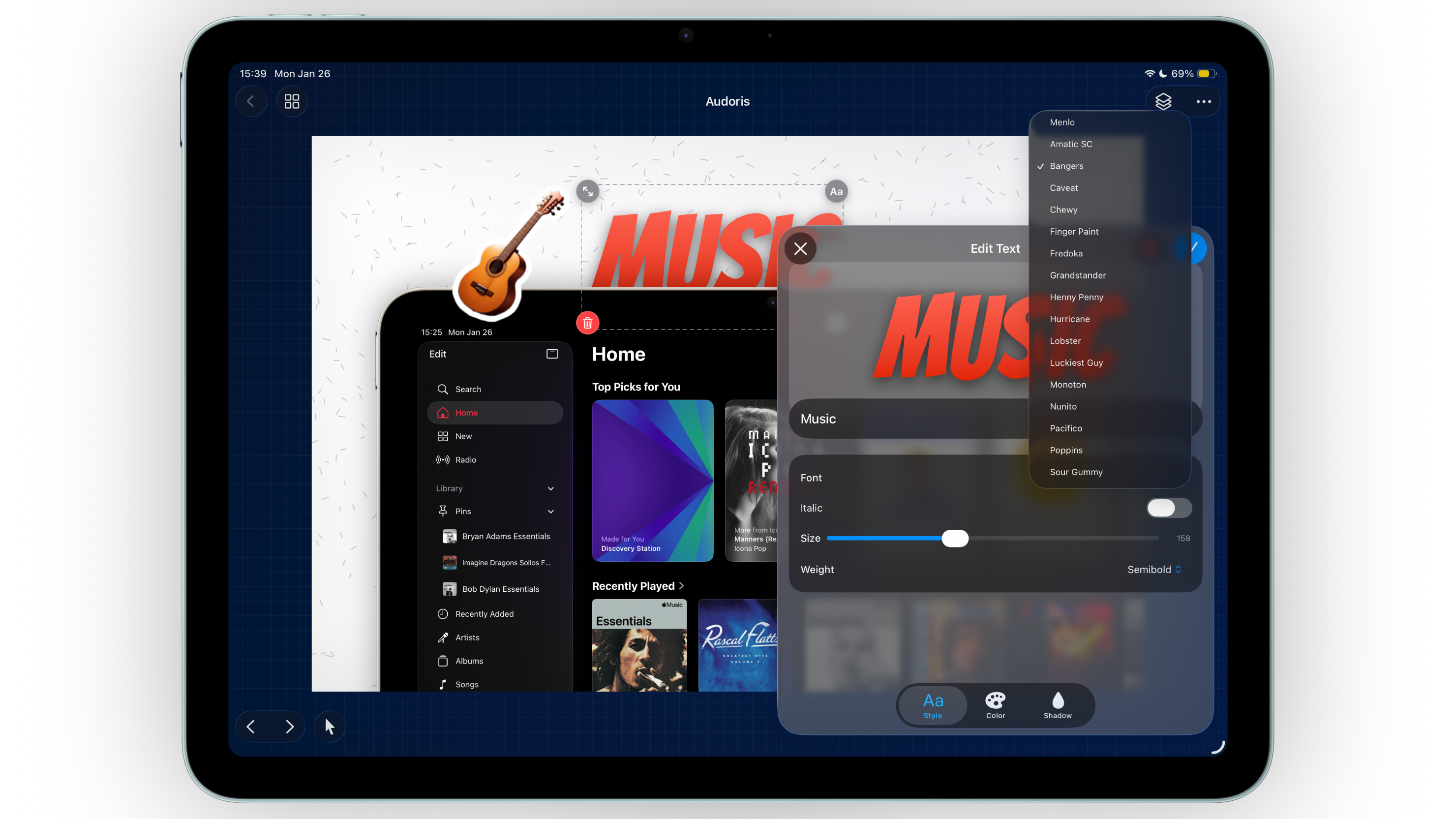
Type that looks composed.

Add multiple text layers and refine fonts, weights, italics, alignment, gradients, stroke, and shadows for headline-ready app screenshots. Each line stays editable.

  • Gradient fills and strokes
  • Fine-grained shadow controls
  • Layer-aware placement
Read more
App screenshot typography editor

Images & Stickers

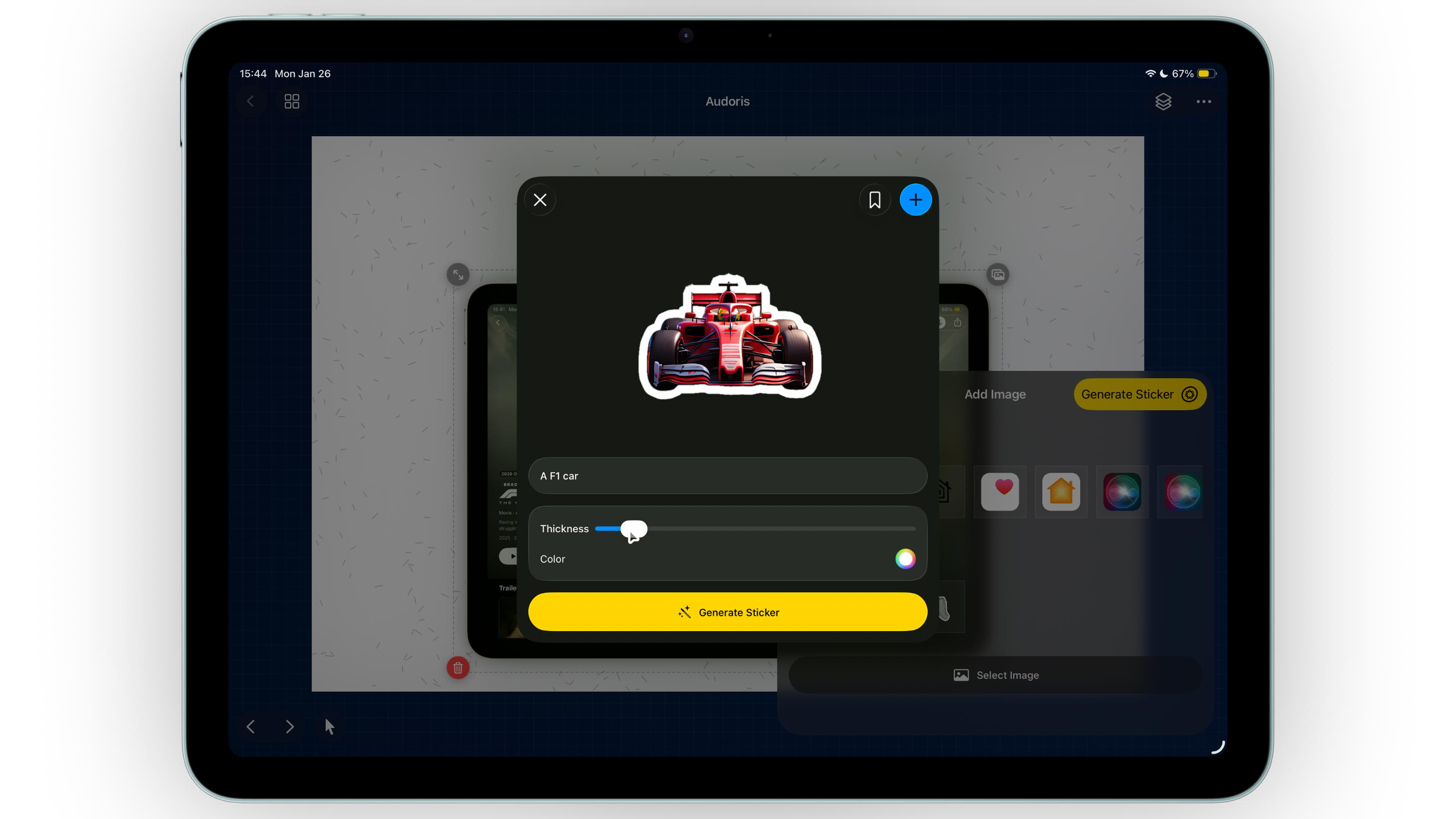
From image to sticker in one flow.

Add photos or badges, remove backgrounds, and create sticker borders with adjustable thickness and color. Build callouts for App Store screenshots and save favorites as presets.

  • Background removal
  • Custom sticker borders
  • Image Playground prompts when supported
Read more
App Store screenshot sticker tools

Draw & Doodle

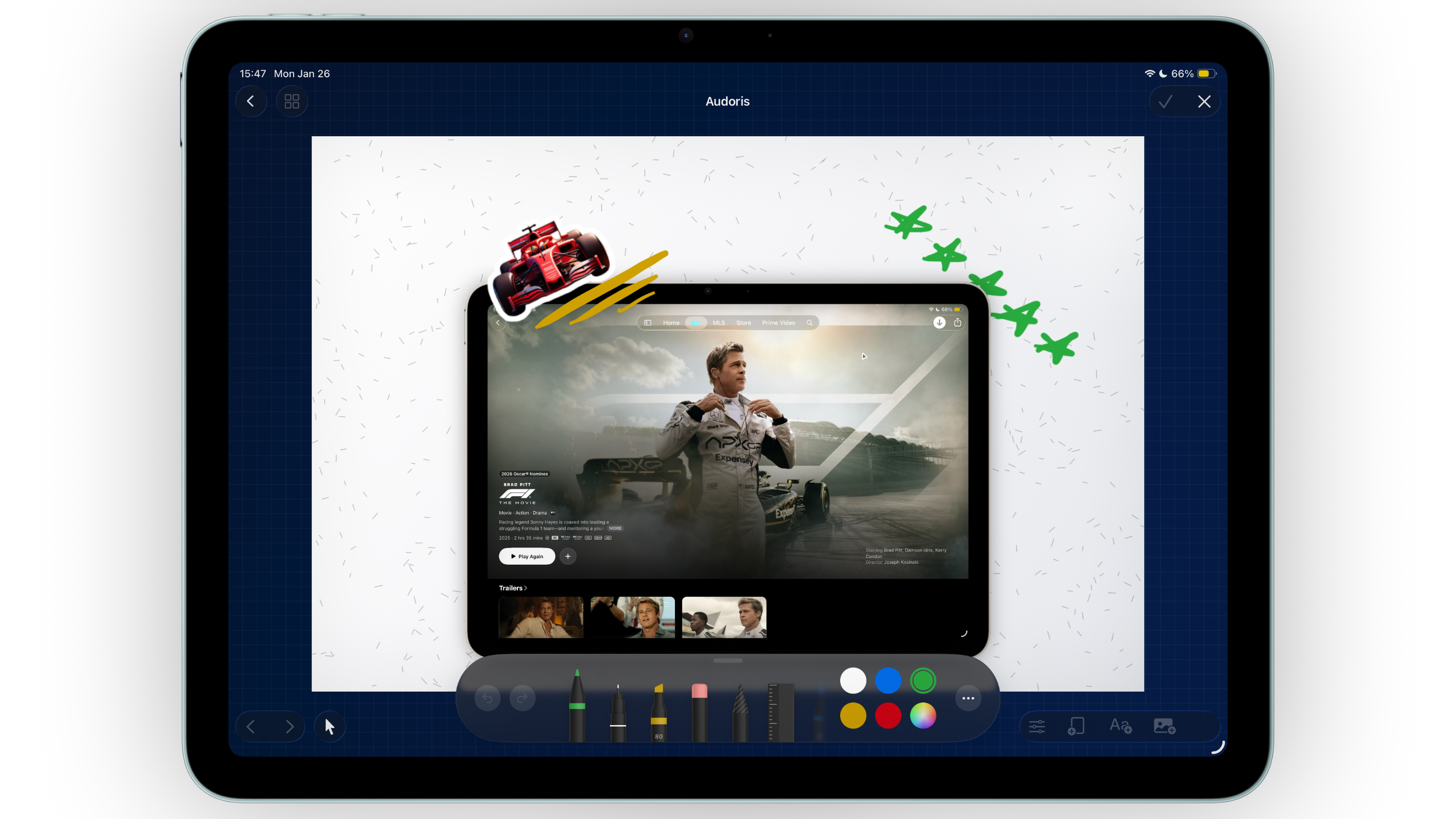
Sketch directly on the canvas.

Use PencilKit tools to draw, then keep your sketches as layers you can move, scale, and reorder anytime.

  • Dedicated drawing mode
  • Layer-based editing
  • Quick commit or cancel
Read more
iOS screenshot draw and annotate tools

Translation

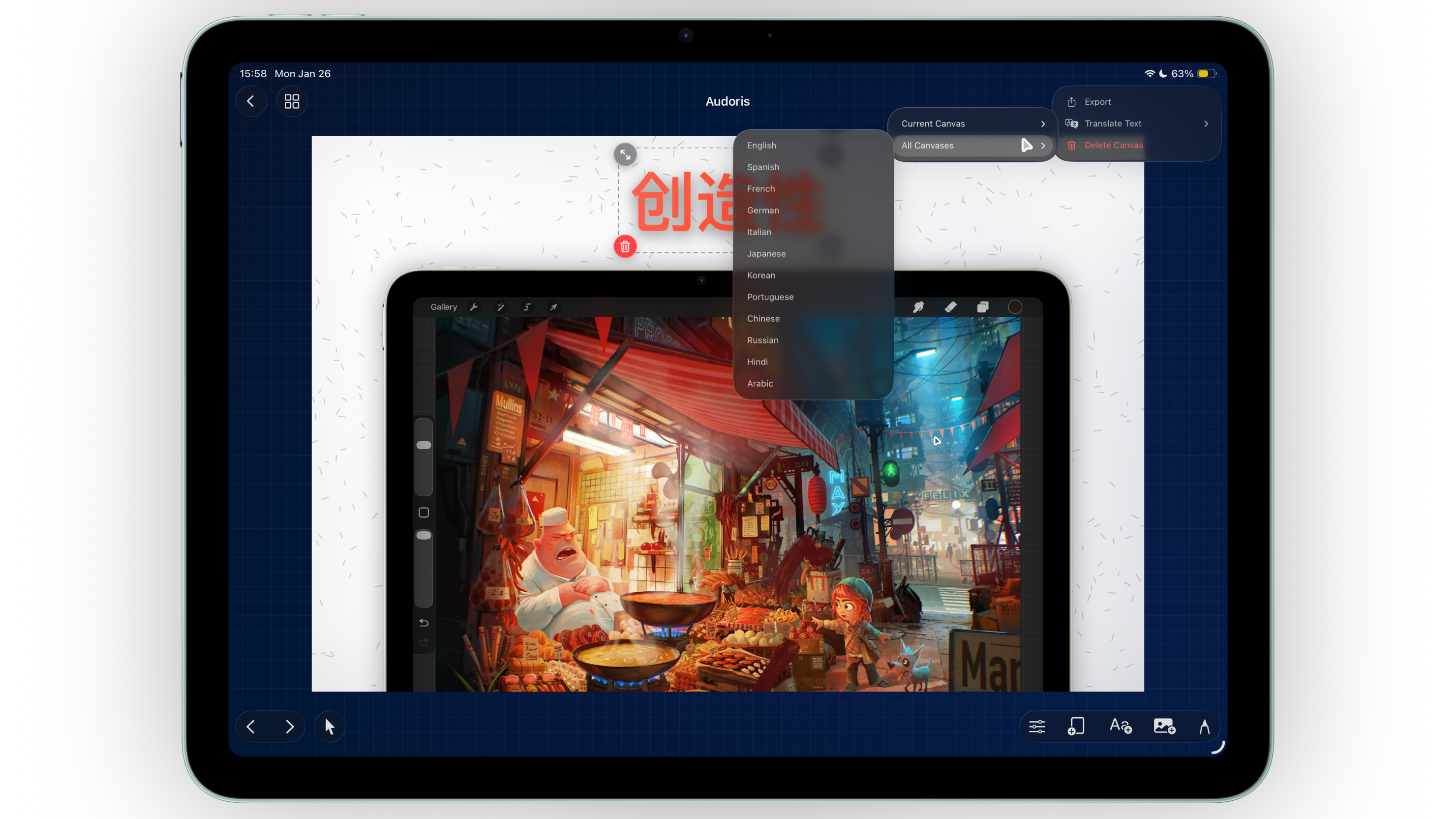
Translate in a tap.

Translate text for the current canvas or every canvas at once, right on device, for localized App Store screenshot sets. Supported languages include English, Spanish, French, German, Italian, Japanese, Korean, Portuguese, Chinese, Russian, Hindi, and Arabic.

  • Single or multi-canvas translation
  • On-device workflow
  • Fast preview refresh
Read more
Localized App Store screenshot translation

Layers & Precision

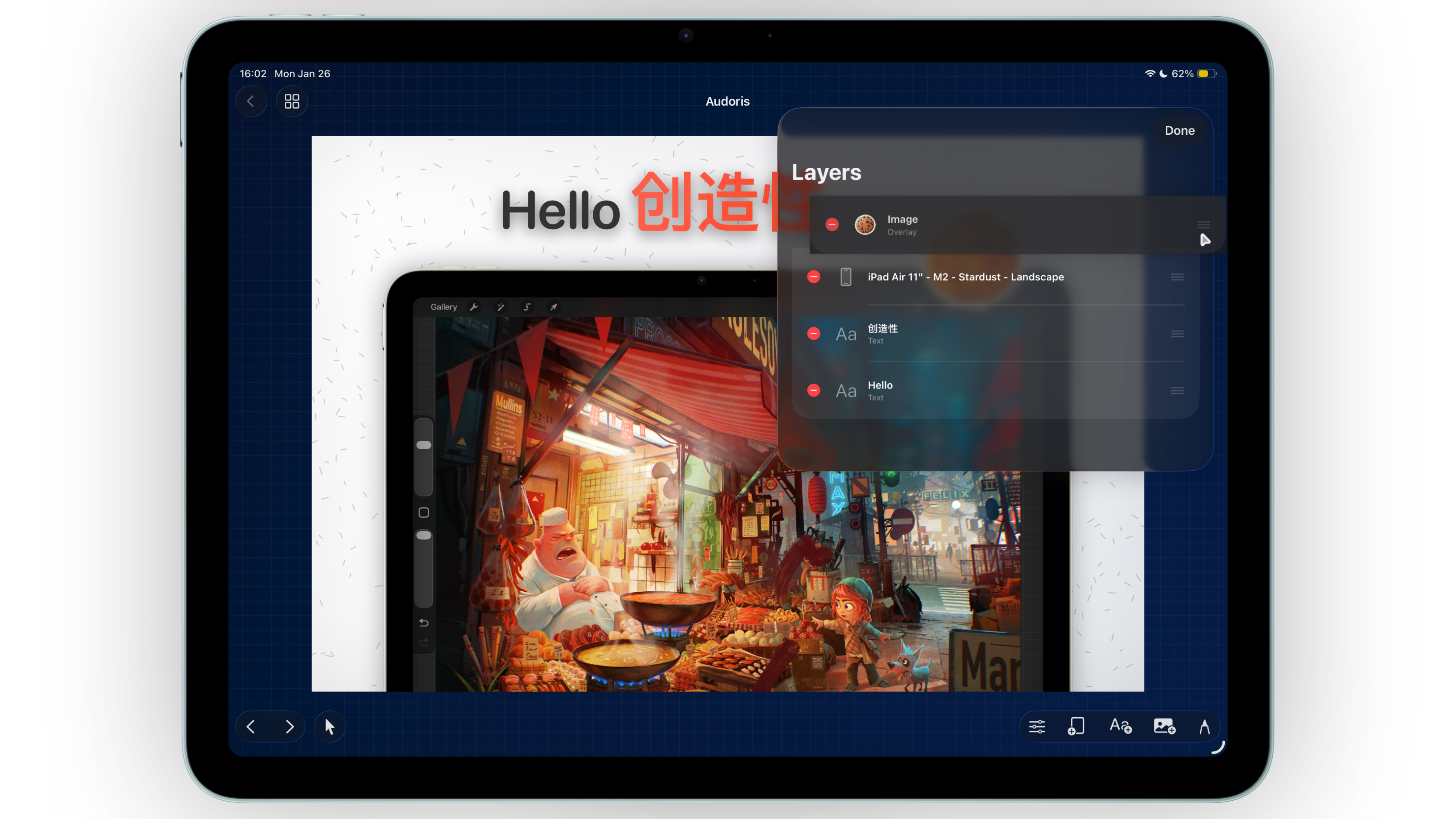
Every layer, exactly where you want it.

Reorder layers, delete quickly, snap to guides, and zoom in for precise placement. Keep your layout balanced with alignment helpers.

  • Layer list with drag ordering
  • Snap-to guides
  • Zoom + pan canvas
Read more
Layer controls for iPhone mockup design

And many more features, thoughtfully woven into every canvas.

Projects & Presets

Keep everything organized.

Projects can hold multiple canvases and styles. Duplicate, rename, search, and sort with grid or list views. Save screenshot templates, sizes, gradients, and image presets.

  • Multi-canvas projects
  • Search + smart sorting
  • Preset libraries
Read more

Export & Share

Export ready. Share instantly.

Export a single canvas or full App Store screenshot sets, save to Photos, or share directly from the app. Video export is supported for canvases with video frames.

  • Image or video export
  • App Store screenshot batch export
  • High-quality rendering
Read more

Workflow

Three steps to finished App Store screenshots.

01

Add iPhone, iPad, or Mac frames

Pick a device frame and drop in your app screenshot or video.

02

Style the screenshot mockup

Layer text, images, stickers, patterns, lighting, and drawings.

03

Export App Store-ready assets

Save high-quality screenshot sets to Photos or share directly.

FAQ

Answers, right away.

What is Bezel Studio?

An App Store screenshot maker and iPhone mockup generator for polished Apple device visuals.

Can I create iPhone bezel mockups?

Yes. Add screenshots or videos to iPhone frames and export polished bezel mockups.

Can I create App Store screenshots for iOS apps?

Yes. Build single or multi-canvas screenshot sets sized for app marketing.

Can I make iPad, Apple Watch, and Mac mockups too?

Yes. Bezel Studio includes frame libraries for iPad, Apple Watch, and Mac.

Can I localize App Store screenshots for different languages?

Yes. Translate one canvas or all canvases at once for localized screenshot sets.

Can I export multiple App Store screenshots at once?

Yes. Export one canvas or your full screenshot set in a single action.

Developer Notes

I built Bezel Studio because, as a developer, I always wanted a small studio in my pocket for turning app screenshots into clean, shareable iPhone mockups. I wanted it to feel fast, tactile, and thoughtful—something I could open, design with, and ship from anywhere.

Bezel Studio is that pocket studio: App Store screenshot templates, frames, typography, patterns, lighting, stickers, and export all in one flow, so ideas don’t slow down when it’s time to present them.

-parth.ant

Ready to create App Store screenshots and iPhone mockups?

Your next App Store screenshot set, in seconds.

Bezel Studio brings iPhone bezels, styling, and export together in one fast flow.