
Why localized screenshots matter for App Store growth
App Store users convert better when the message feels native to their language and market context. Even if your app UI is universal, localized screenshot copy improves trust and reduces friction during first impressions.
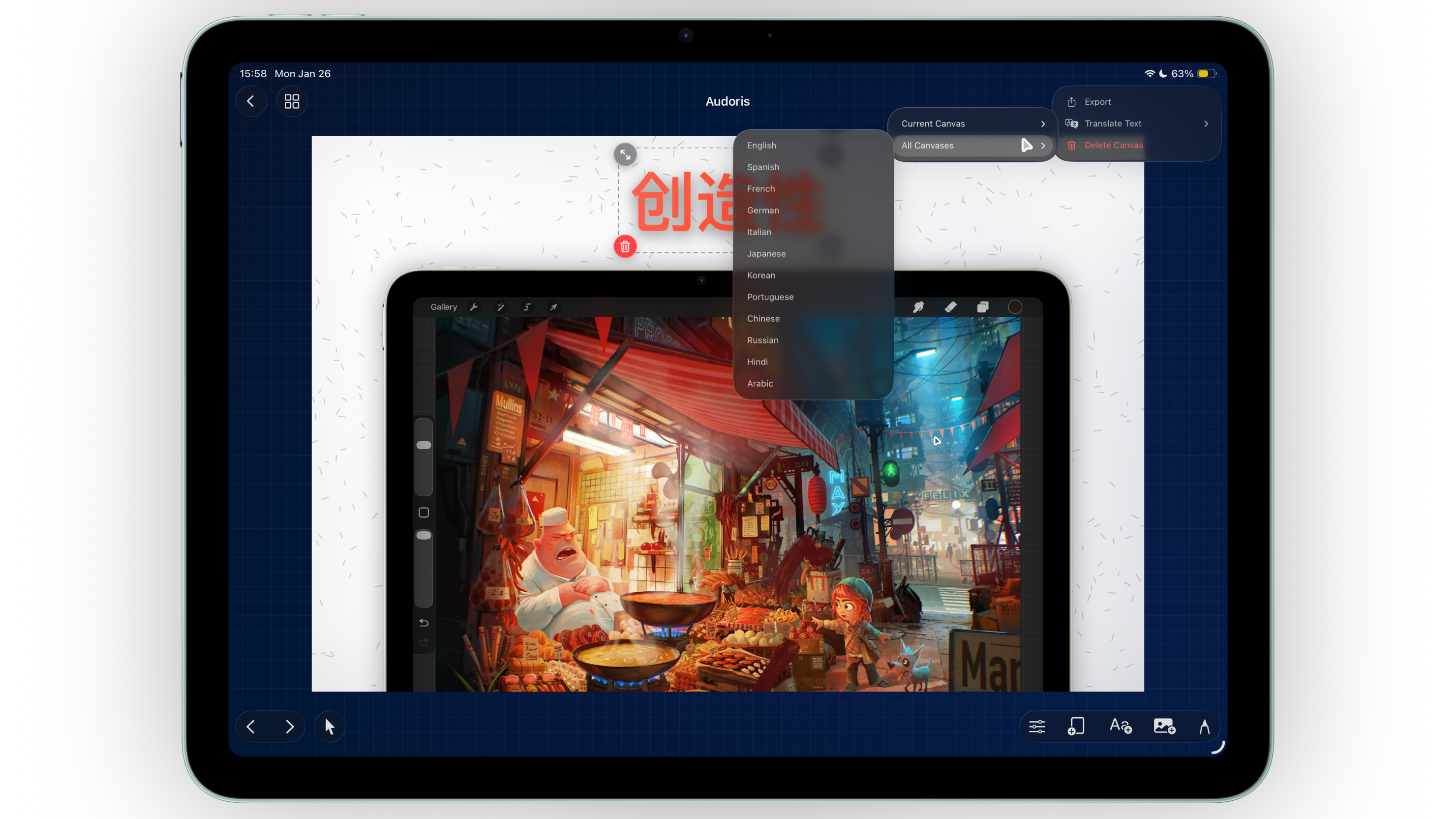
The challenge is scale. Manually editing every text block across multiple canvases and languages takes time. Bezel Studio solves this by translating text layers while keeping your visual layout intact.
- Translate one canvas for quick checks or all canvases for launch
- Preserve frame, spacing, and background structure
- Speed up localization for regional App Store updates
How to localize screenshot copy in Bezel Studio
- Finalize a base-language screenshot set. Lock layout and style before translation.
- Choose translation scope. Translate current canvas for quick validation or all canvases for full localization.
- Select target language. Generate localized text while retaining visual structure.
- Review line breaks and spacing. Check each canvas for length changes in translated copy.
- Duplicate and label localized projects. Keep every language version organized for future updates.
Language coverage and practical review workflow
Bezel Studio supports translation flows for English, Spanish, French, German, Italian, Japanese, Korean, Portuguese, Chinese, Russian, Hindi, and Arabic. For production launches, always run a visual QA pass after translation.
Prioritize expansion-prone languages first
German and French often expand in length. Review those layouts early so you can adjust container sizing before final export.
Use consistent term mapping across canvases
Repeated phrases like "Sync," "Share," or "Export" should use consistent local terminology across every screenshot panel.
Validate native reading direction and tone
For languages like Arabic, review flow and emphasis carefully to make sure hierarchy feels natural for local readers.
Localized screenshots work best when translation and layout review happen as one process.
Common translation mistakes
- Translating before base-language messaging is finalized
- Skipping visual QA after language changes
- Using inconsistent wording for repeated feature names
- Assuming one localization style fits every market
- Exporting regional sets without clear project naming
FAQ: localized App Store screenshots
Can I translate all screenshot canvases at once?
Yes. Bezel Studio supports both single-canvas and all-canvas translation flows.
Will translation break my existing layout?
The system preserves structure, but you should still review spacing and line lengths for each language.
How should I manage multiple language versions?
Keep separate localized project variants with clear naming so updates and exports remain organized.
